Hello, and thank you as always for your support.
If anyone has encountered a similar issue or knows how to resolve it, I would very much appreciate your advice.
I’m sorry to trouble you again with another set of questions on the forum, but I’ve encountered two issues while working with Imaging.
1, Issue with Clip (ROI) and saving
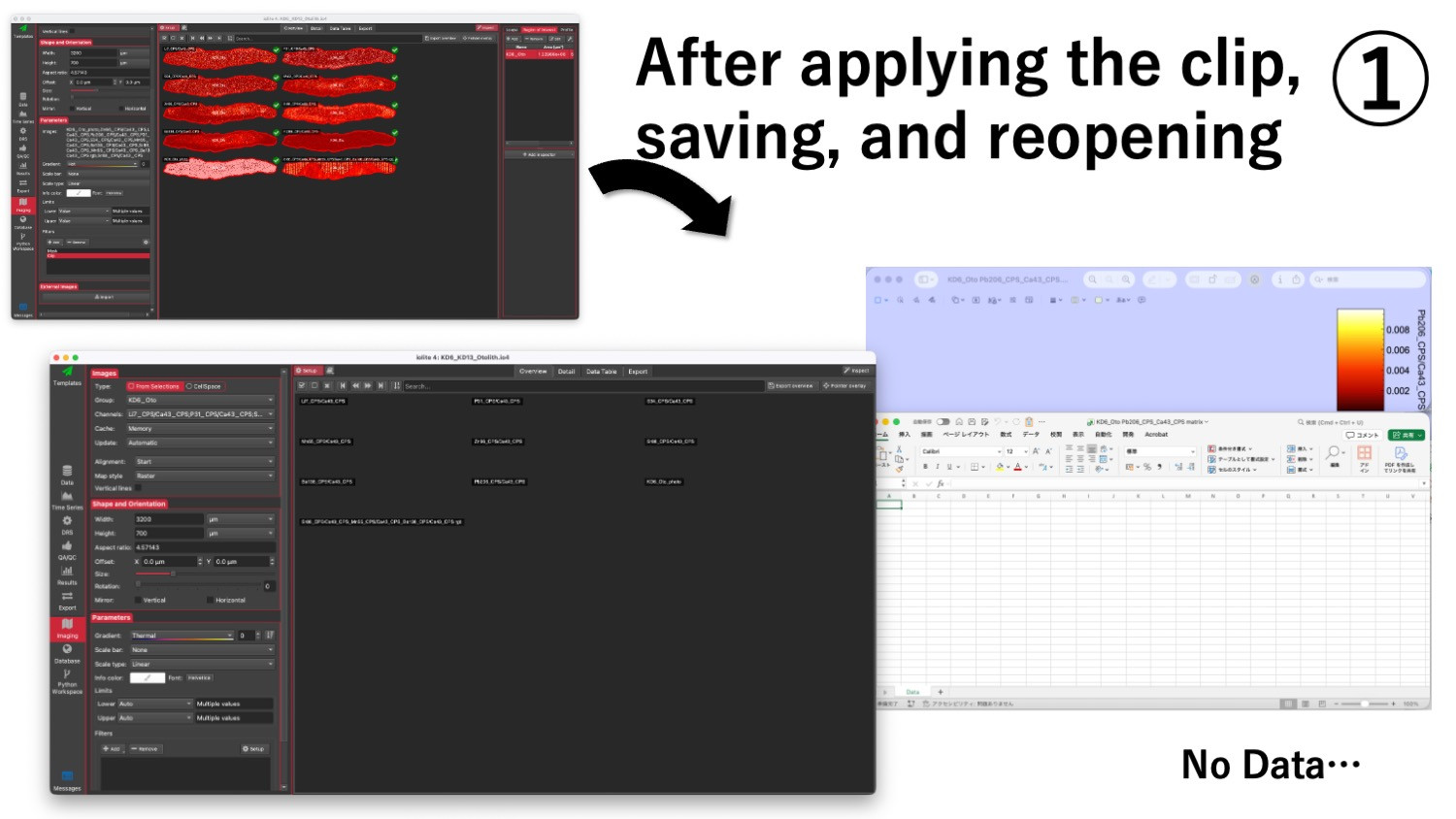
I select a region in the imaged map using an ROI. Then I apply Filters → Clip.
After saving the file and reopening the same iolite project, nothing is displayed. and the imaging data appears completely blank.
Exporting in this state produces empty outputs, and the Inspector does not respond. (Please see Image 1.)
2, Issue with RGB composite becoming distorted when saving the image
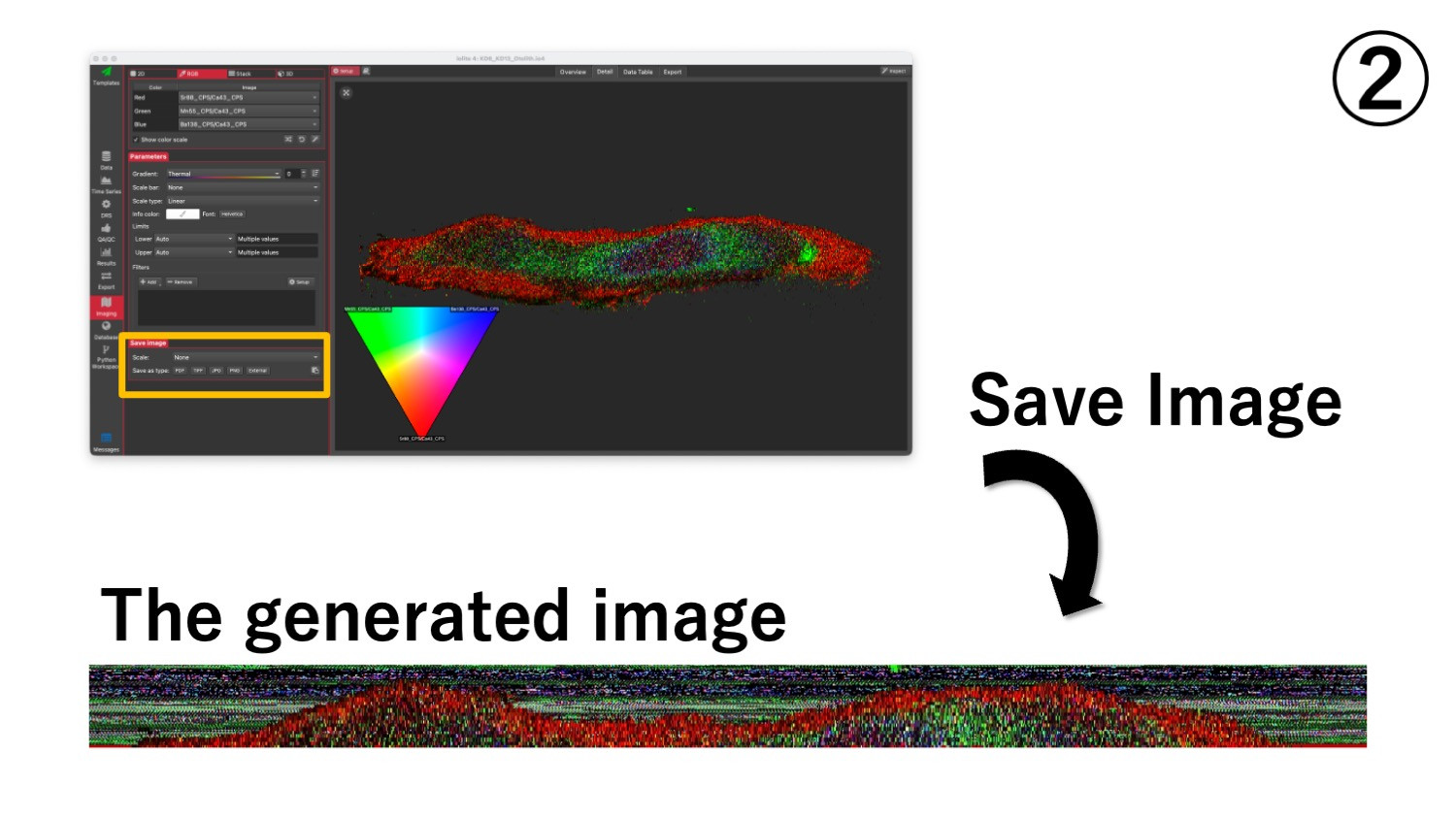
In the Imaging Detail tab, I attempted to create an RGB composite using three channels.
While the composite displays correctly within iolite, the output saved using “Save Image” becomes distorted, as if the alignment has shifted or the image has been scrambled. (Please see Image 2.)
My System and environment:
MacBook Pro (Apple M2 Pro)
macOS Tahoe 26.1 (the same issue also occurred previously on macOS Sequoia)
iolite version: v4.10.9
Thank you very much in advance for your assistance.
P.S.
When generating an RGB composite, what blending mode or calculation method is used internally?
Also, does the composite reflect the Imaging limits currently set in the viewer (i.e., are the same limits applied to the RGB output data)?